![TrustMate_logo_white-2.svg]](https://knowledge.trustmate.io/hubfs/TrustMate_logo_white-2.svg)
In this article, you’ll find:
- What is GMB Masters?
- Key features of GMB Masters
- How to activate GMB Masters
- Frequently Asked Questions (FAQ)
What is GMB Masters?
GMB Masters is an advanced module in TrustMate, designed for businesses with multiple locations, each having its own Google Business Profile. It enables centralized management, quality control, review analysis, and local SEO optimization - all from a single dashboard, without the need to switch between accounts.
Everything happens in one panel.
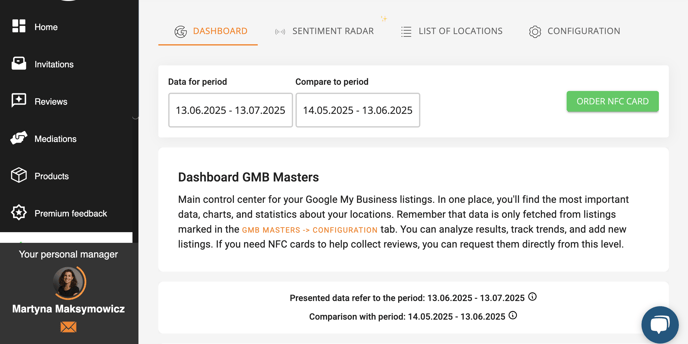
Multi-account Google integration
You can connect multiple Google accounts and their associated business profiles - not just one. This gives you full oversight of all your locations, even if different teams or franchisees manage them.
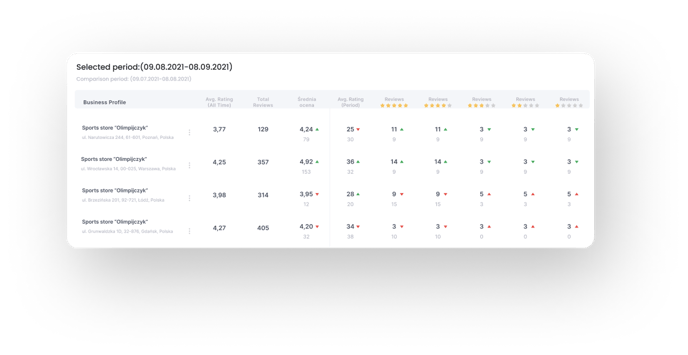
Review filtering and assignment
Each review can be assigned to a specific location, and you can filter data to view only selected sites.
Individual stats for each location
The module allows you to analyze performance separately for each location - including average rating, number of reviews, and trends. You can also aggregate data across your entire network.
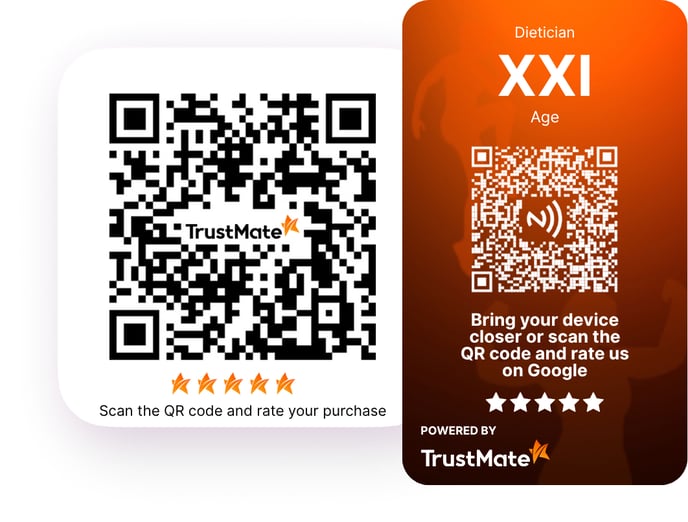
Offline review collection
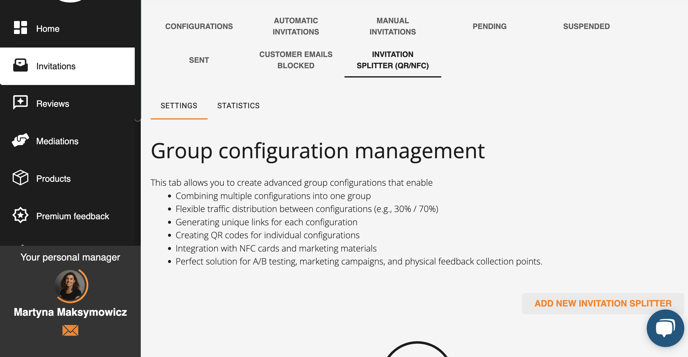
Locations can use NFC cards or QR codes that redirect customers to a review submission form.
Smart review request distributor
This intelligent tool automates the assignment of review invitations to the correct location or form, ensuring precise and efficient collection of feedback.
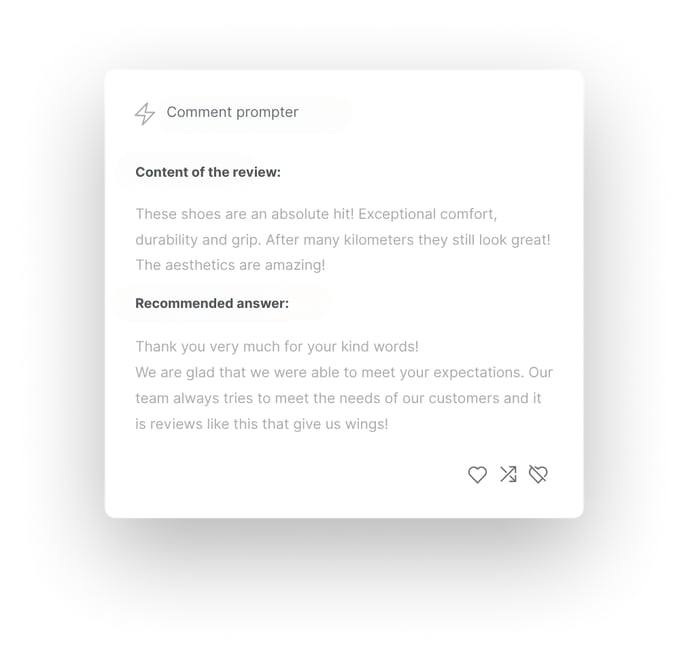
Comment Assistant (AI Response Generator)
An advanced AI tool that generates personalized responses to customer reviews. Businesses can respond quickly and effectively while maintaining a positive brand image and increasing customer engagement.
![]() Advanced reporting and analytics
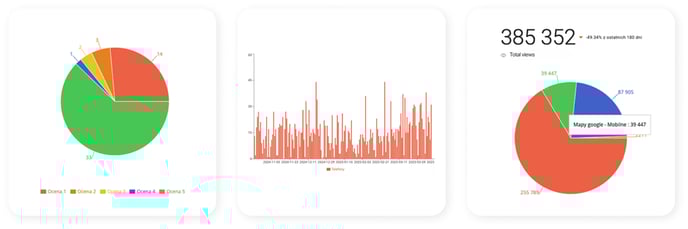
Advanced reporting and analytics
Reports can be filtered by date, location, and review topic. The system detects trends and allows for location-by-location comparisons.
How to activate GMB Masters?
- Contact your TrustMate account manager.
- Once activated, go to the “GMB Masters” tab in the Client Panel.
- Click “Configuration.”
- Log in to your Google account and select the business profiles you want to connect.
- Save the changes.
How much does GMB Masters cost?
GMB Masters is a premium feature available outside the standard Enterprise package. Pricing details are available from your account manager.
Frequently Asked Questions (FAQ)
- What is GMB Masters?
GMB Masters is a premium module designed for businesses with multiple physical locations connected to Google Business Profiles. It streamlines the management and analysis of all profiles in one place. - What does GMB Masters offer?
a. Optimization - Manage reviews, statistics, and data across all locations from one panel. Assign profiles to franchisees using dedicated links.
b. Automation - Respond to reviews faster with AI-generated replies in different tones and with templates.
c. Sentiment Radar - Analyze customer sentiment and key topics (e.g., delivery, service, quality).
d. Advanced Analytics - Interactive charts, trends, comparisons between locations, and quick insights.
e. Full Transparency - Instant access to data from every location.
f. Bulk Content Management - Edit business hours, images, and offers across multiple profiles at once.
g. Integrations - Connect with loyalty systems, mobile apps, or store IT systems.
h. Flexibility - Manage profiles from one or several Google accounts; you can even link two accounts to a single TrustMate panel.
GMB Masters isn’t just a tool - it’s a strategic advantage: better visibility, faster customer response, and real influence over your local reputation. - How can I activate GMB Masters?
Contact your TrustMate account manager, who will provide the setup details. Once activated, a “GMB Masters” tab will appear in your Client Panel, where you can connect your Google profiles. - I’ve contacted my manager, paid for the service, and see the GMB Masters tab - what now?
Go to the TrustMate Client Panel → GMB Masters tab → Configuration. Use the “Add new Google account” button to connect your business account. Log in to your Google Business Profile, then select any number of locations by checking their boxes. Locations that are not selected will not be linked to GMB Masters. - Is GMB Masters a paid feature?
Yes, GMB Masters is a paid module. Contact your account manager for pricing details. - Is GMB Masters included in the Enterprise package?
No, GMB Masters is not included in the standard Enterprise package. Please consult your account manager for an individual quote. - How many Google Business Profiles can I connect?
You can connect an unlimited number of profiles to GMB Masters. - Do I need to collect reviews from every location?
No. If you don’t want to collect reviews from a specific location, simply uncheck the box next to it and save. - Will each location be included in the statistics?
You have full control over which locations are included in the data. If you don’t want to collect data from a specific location, go to GMB Masters → Configuration, uncheck the location, and save. - How can I collect reviews in physical stores?
The main method is using NFC cards. Contact your account manager for more details. - Can I customize the look of the NFC cards?
Yes, you can design the cards yourself, or we can create a design for you. - How does the Comment Assistant work?
The assistant uses AI to analyze a received review and suggest ready-to-use responses, which you can post as-is or edit.